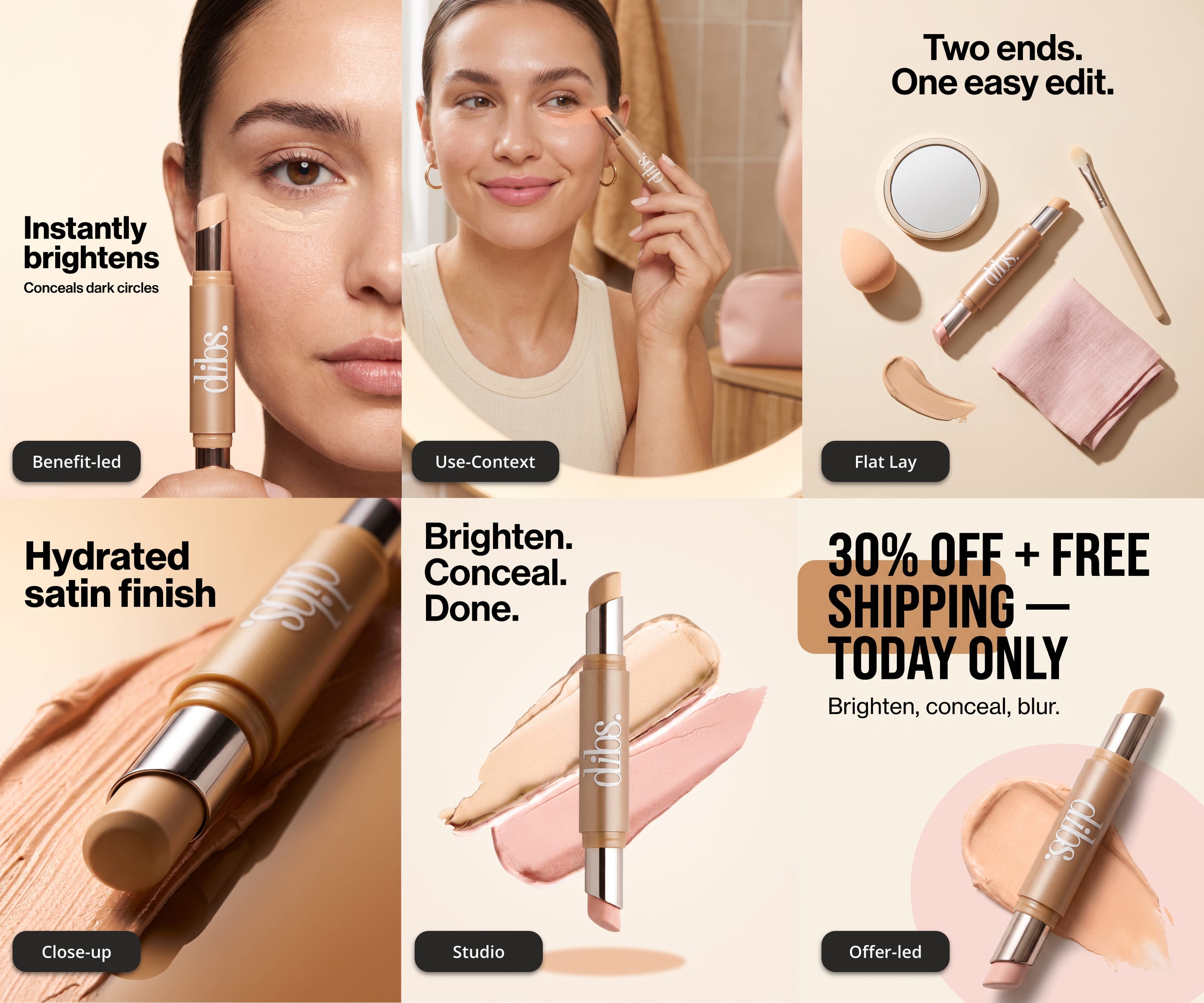
Six Meta Statics, One Product Photo: How to Turn Creative Fatigue Into a Testable Batch
If you run paid social for DTC brands, you know the drill. Meta’s delivery system rewards creative volume, your client wants “more variations” every week, and your team is already at capacity. So you ship six new statics — and when performance review comes around, you discover the uncomfortable truth: you didn’t test six ideas. You tested one idea, six times.
That distinction matters more than most teams realize. Meta’s Advantage+ and Andromeda-era ranking increasingly rewards creative variety — different concepts, angles, and formats — not pixel-level variations of the same layout with a swapped headline. A batch that tests one idea six ways gives you one data point. A batch that tests six genuinely different concepts gives you six.
For most agencies and brands, of course, the bottleneck is production. Six distinct concepts means six rounds of art direction, copy, layout, and retouching — or an expensive freelancer loop. If you’re really pioneering, you might ask your one “AI person” to improvise something in a chat window that nobody else can reproduce.
This is the sort of problem that Wundernode was built to solve.
So we built a sample workflow to go from one product photo to six genuinely distinct, on-brand Meta statics in a single run — with the production logic saved so you can do it again next week.
Why most “AI ad variations” fail the agency test
If you’ve tried AI ad tools, you’ve probably hit one or more of these:
- Inconsistent output. Every generation looks like a different brand. You spend as much time fixing as you would have spent building.
- No brand safety. The tool has never seen your client’s brand brief, palette, or claims list — so it invents them.
- Person-dependent workflows. The result lives in one operator’s chat history. When they’re out, production stops.
- No repeatability. Even when the output is good, you can’t run the same process again for the next client or the next campaign. You’re rebuilding from scratch every time.
This is why “we use AI” and “we have a creative system” are two different things. The first is an experiment. The second is an operation.
The six-concept batch, step by step
We built a public Wundernode workflow that does exactly this. Here’s the logic it runs — and that you can inspect, edit, and reuse:
1. Three structured inputs
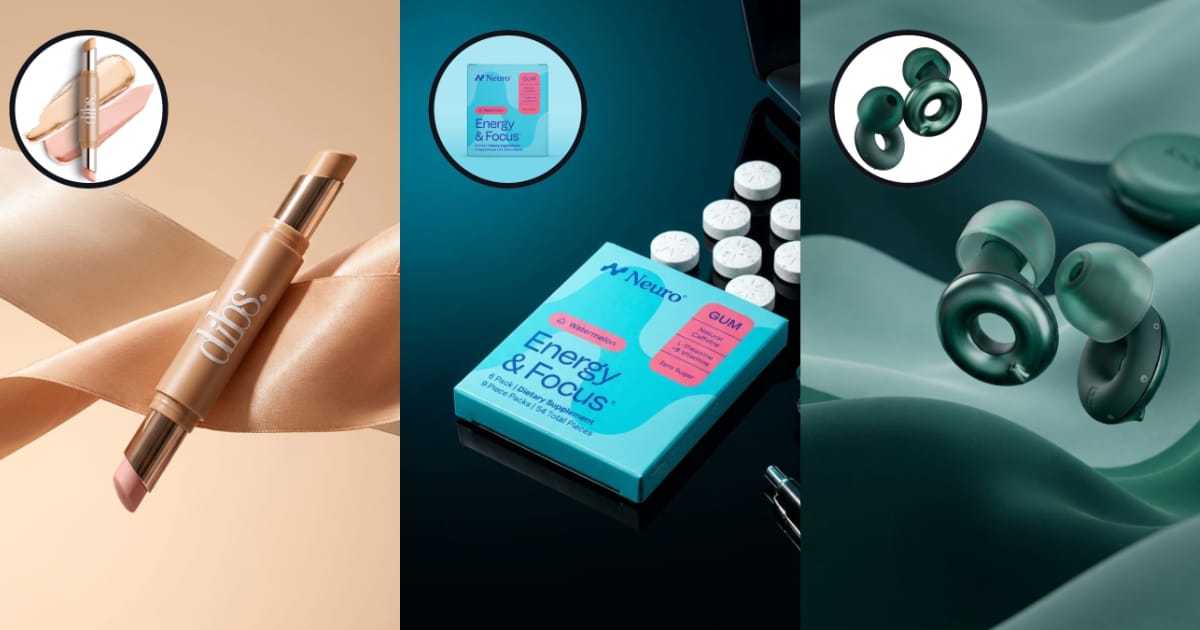
- One product image — the authoritative packshot or hero image.
- One brand moodboard — the visual-style reference the model matches.
- One brand brief — product positioning, audience, visual direction, and (importantly) a hard rule: maximum two claims per image. Plus an optional offer line, because offer-led statics are a legitimately different concept, not a dirty variation.
Structured inputs are what make the output consistent. The model isn’t guessing what your client’s brand looks like — it’s working from the same brief your team would.
2. One art-direction pass, six concept prompts
A language-model step acts as a senior performance-creative art director: it reads the brand brief and offer, then writes six self-contained image-editing prompts — one per creative direction:
- Clean studio product hero
- Lifestyle / use-context scene
- Flat-lay or feature composition
- Offer-led typographic ad
- Benefit or proof-led ad
- Detail or craftsmanship close-up
This is really the magic, and if you want to really systematize your use of AI, this is the part you should pay attention to. We didn’t simply write the prompts for these different styles. We wrote the prompt that writes the prompts. The LLM acts as a director, and each resulting prompt is fully self-contained.
The image model never sees the brief or the offer — only the product image, the moodboard, and one complete art-directed prompt that is appropriate for the product and the offer. That means palette, lighting, surfaces, and camera character are spelled out in visible, concrete language inside every prompt instead of being hand-waved as “match the brand.” This also means that a creative strategist can simply swap the director’s instructions and guide the template toward whatever direction he/she prefers.
3. A batched image-editing run
The six prompts are split and run in parallel through a single image model (Nano Banana Pro), each one editing the actual product photo — so the product stays recognizably your product across all six concepts, rather than being re-imagined six times.
The output is a 4:5 board your team can shortlist from in one glance: which concepts survive, which get refined, which get finished for launch. It’s a first-pass production step for your creative team, not a replacement for it.
Why this works as a system, not a trick
The single run isn’t the point. The point is what happens next week, and with the next client:
- The workflow is saved. The brand brief is the only thing you swap. Same structure, new client, new batch — in minutes, not days.
- Every step is inspectable. Nothing is a black box. If a concept comes out wrong, you can see exactly which prompt produced it and edit the logic — the fix compounds instead of becoming a manual retouch on one image.
- Batch cost is visible. You know what a six-concept batch costs before you run it, which means you can price creative production against it instead of guessing.
- It feeds the whole testing loop. Six distinct concepts is a full weekly Meta test cadence from one SKU — enough to find a winner, and the moment you find one, variation workflows take over.
For agencies specifically: this is how you scale output without scaling headcount. Your designers stop being a production bottleneck and become the people who decide which six directions are worth making — which is the judgment clients actually pay for.
Try it on your product
The workflow is public and clonable. Drop in one product photo, one moodboard, and your client’s brand brief, and you’ll have six distinct concept statics ready for a shortlist review.
→ One SKU → 6 Meta Static Concepts
Which of the six directions would you test first for your product?